Blogger Logo Maker Website | Logo maker website for blogger.
I have shared many scripts. The process of all of them is the same, I mean the process of applying all the scripts. Now let's do something a little different!!!
This post will show how to create a logo maker website on blogger. You, me or many people know the importance of online logo maker websites. We often depend on online logo maker websites when we need to make a logo.
How about if you have a free logo maker website in blogger? And if you can do SEO and index that website in Google and get AdSense approved, then that's golden. And the plus point is, this script also has an option to insert ad code.?
How to make logo maker website in blogger?
By following the below steps carefully you can create a logo maker website in blogger.
Some Benefits of Logo Maker Website
If you can create a logo maker website on blogger, then you will gain. There is no loss. And blogger is free, so why delay!! You can also use the website for your own work and also open the way to earn from it. has
So let's get started….
First login to Blogger. Then go to Themes.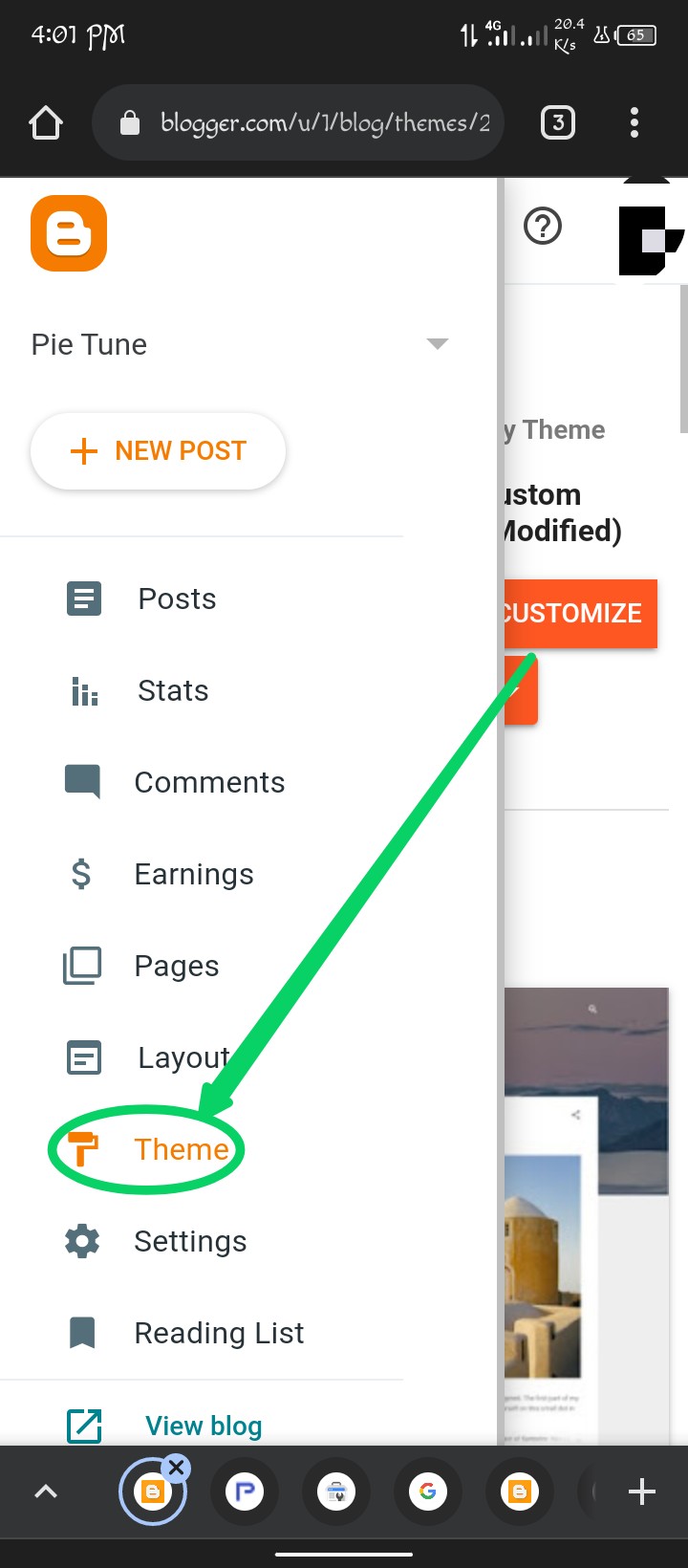
Then click on the dropdown menu.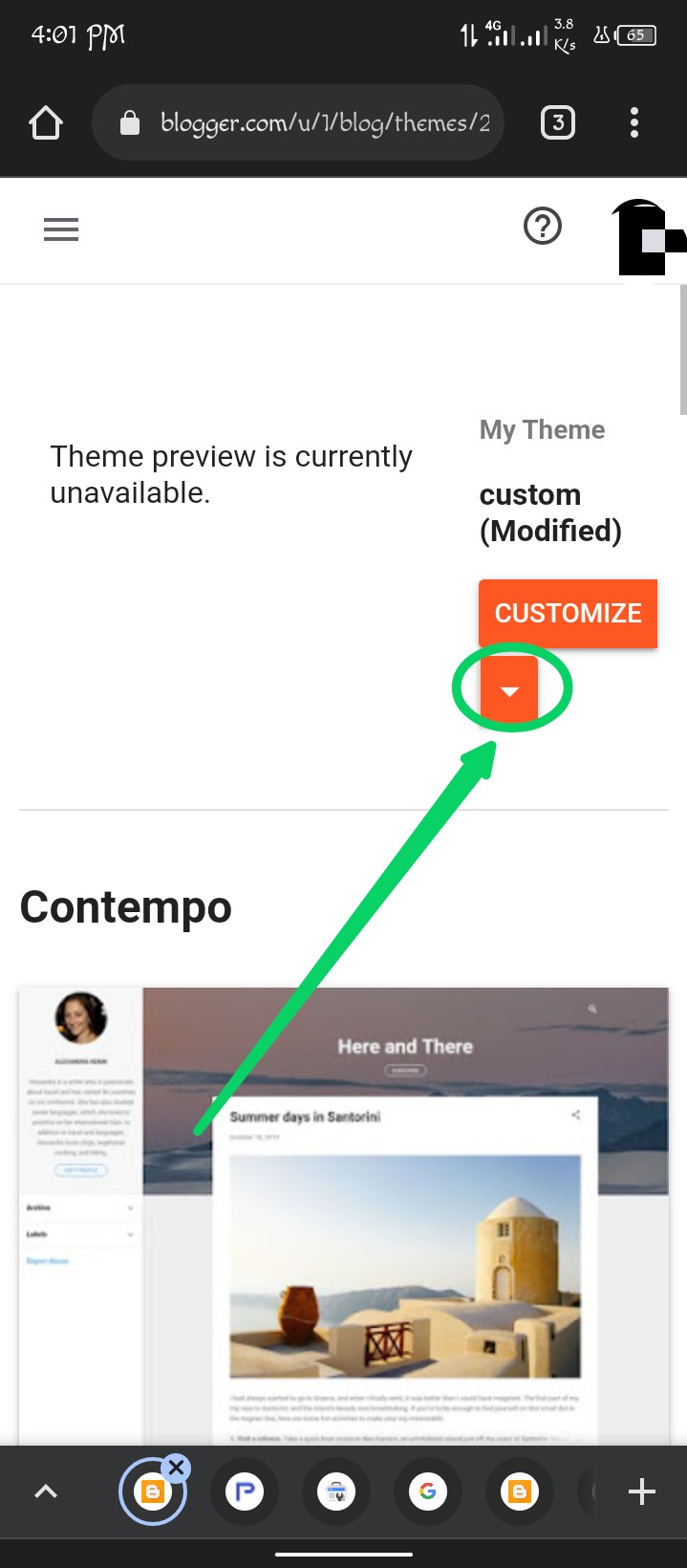
Now click on Switch to first generation classic theme.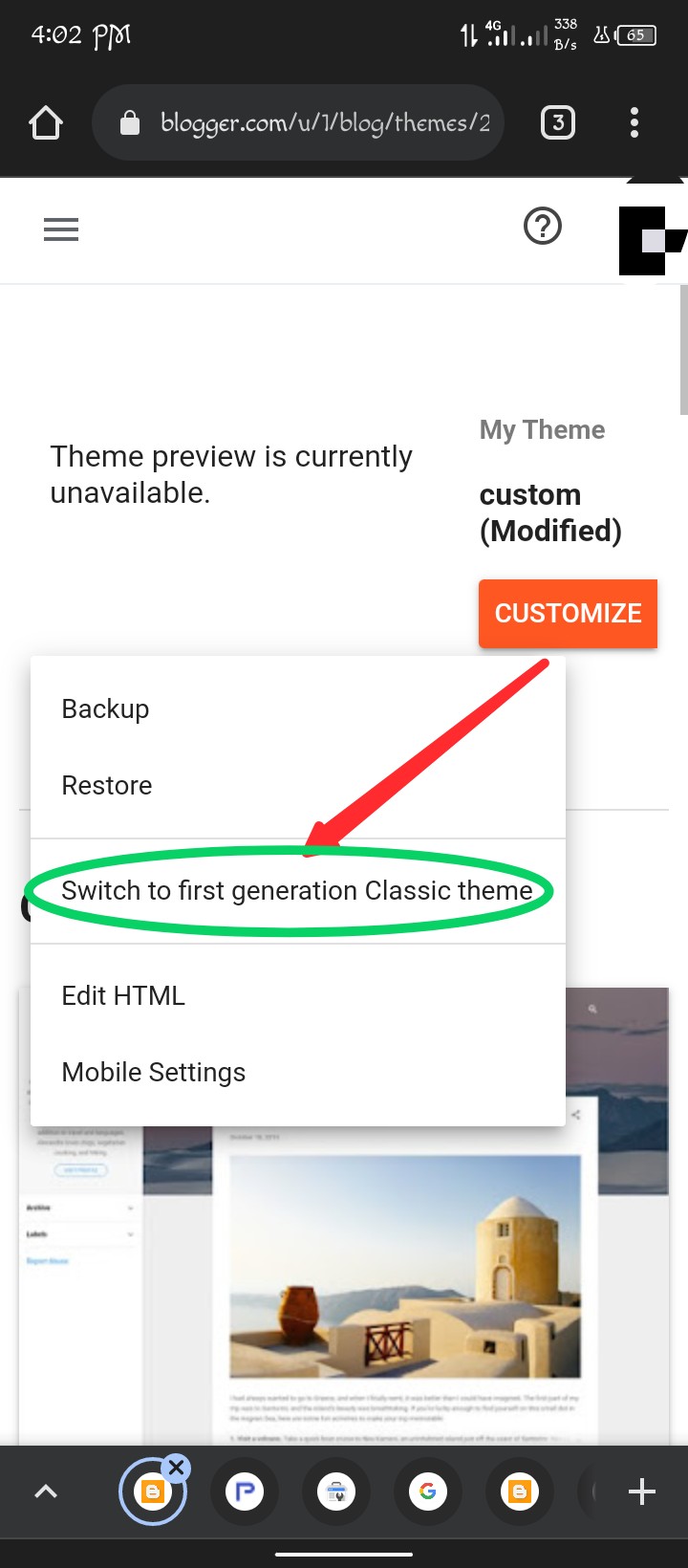
Then again click on the DropDown menu and click on Change NavBar.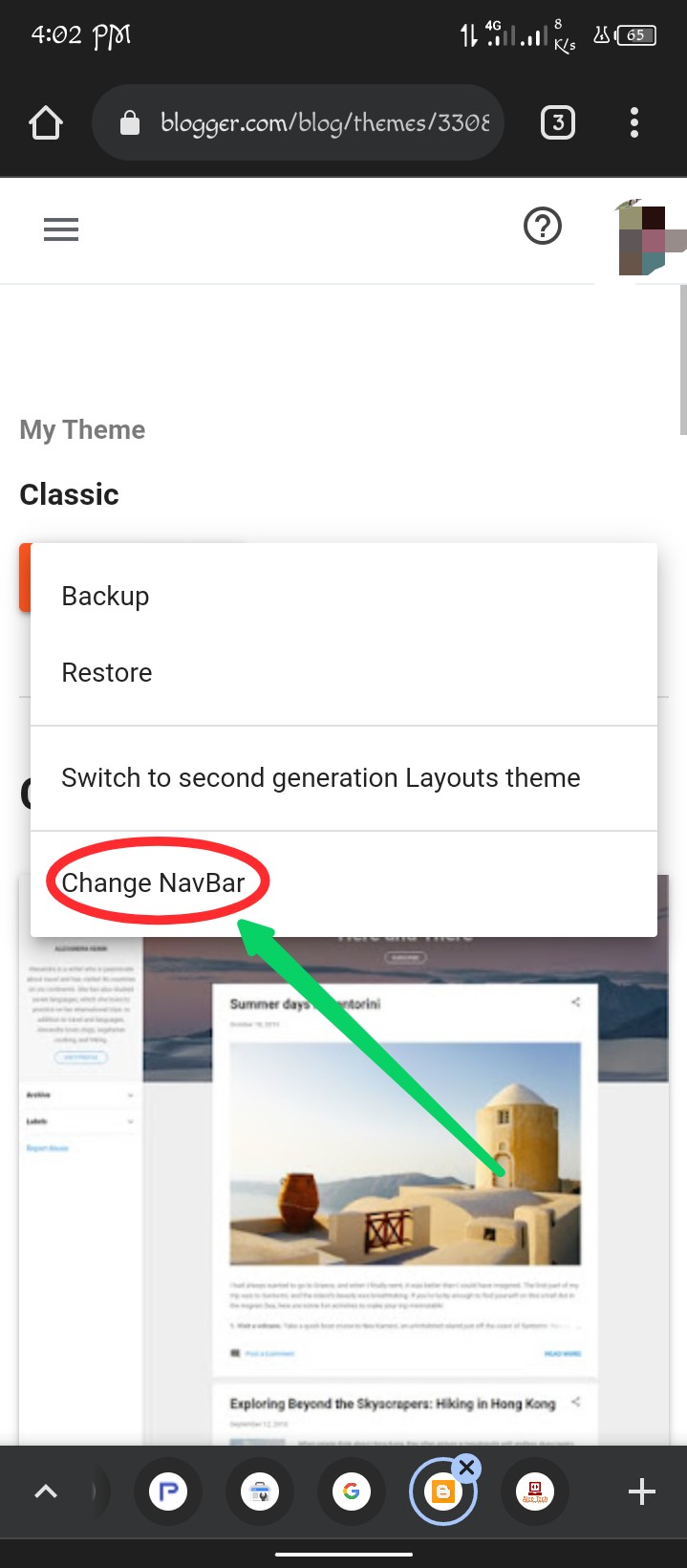
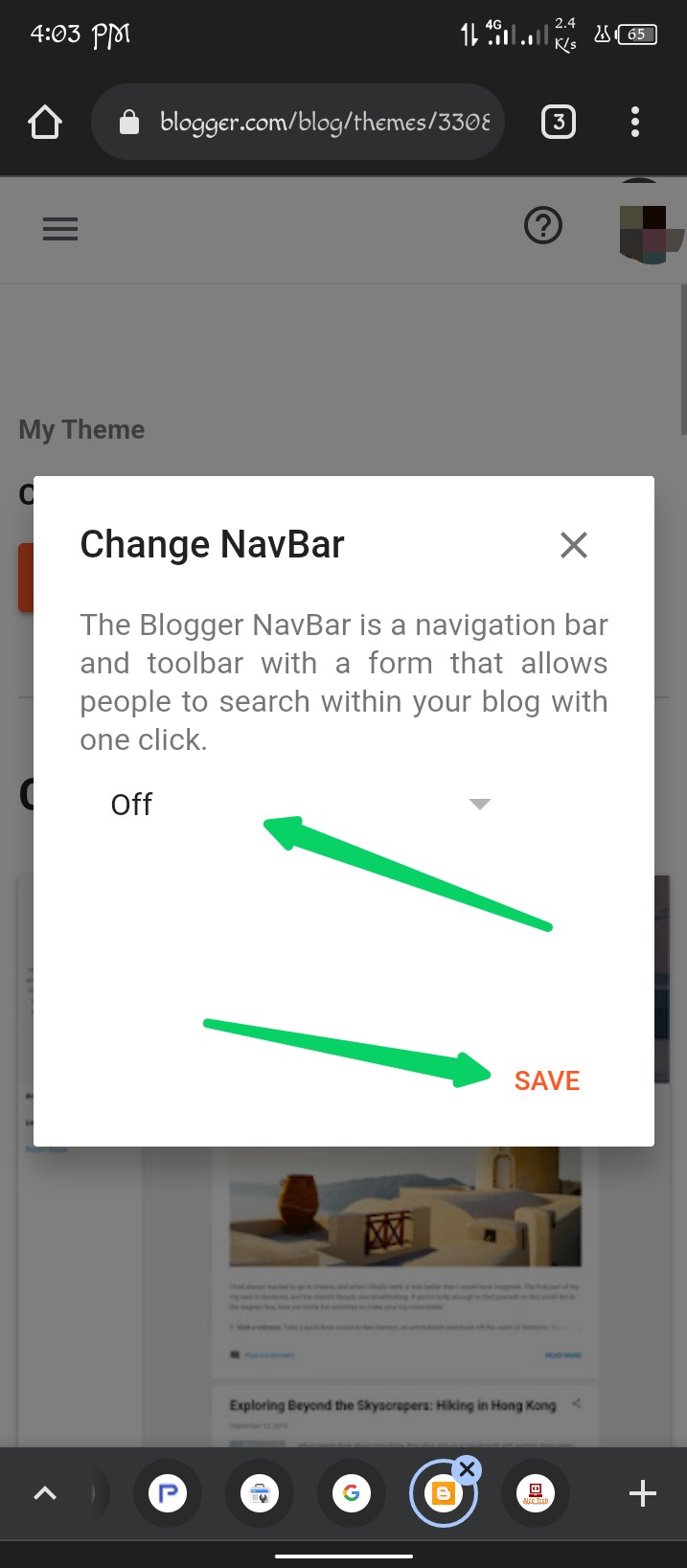
Then click on Edit Html and remove all the codes.

this timeBy clicking hereCopy/download the codes and paste them in the blank box and then save. (Remove all previous codes and then paste them.)

How to add Internet Speed Meter in Blogger? How to add internet speed meter to blogger?
How to Add Post Views Counter on Blogger? How to add post view count in blogger?
Youtube Video Downloader Script For Blogger | Get YouTube Video Downloader Script for Blogger.
Work is done. Now visit your website, logo maker tool has arrived on your blogger website.
Comments
Post a Comment
Say Something